Helping merchants keep cash flowing when everything shut down
A critical merchant-facing initiative shaped by pandemic-driven urgency, usability gaps, and support-heavy financial workflows.

During the pandemic, many Shopify merchants relied on gift cards to sustain their businesses, yet critical gift-card workflows were confusing, inflexible, and heavily dependent on support.
Through customer support insights and heuristic evaluation, we identified usability gaps in both gift card onboarding and issuing flows. Merchants struggled to understand how gift cards worked, the difference between products and issued cards, and how to complete tasks in real-world scenarios without workarounds.
This project focused on simplifying onboarding and improving issuing flexibility, enabling merchants to take action confidently and independently during a period of heightened operational stress.
MY R E S P O N S I B I L I T I E S
Lo-fidelity mockups
High-fidelity mockups
Design QA
Decision documentation
P R O J E C T O U T C O M E S
Removed Confusion That Drove Support Requests
Improved onboarding and issuing flexibility so merchants could complete common scenarios without needing support or hacks.
Turned Gift Cards into a Source of Funds
Improved issuing flexibility allowed merchants to sell gift cards without need to assign them
Flawed Onboarding Experience
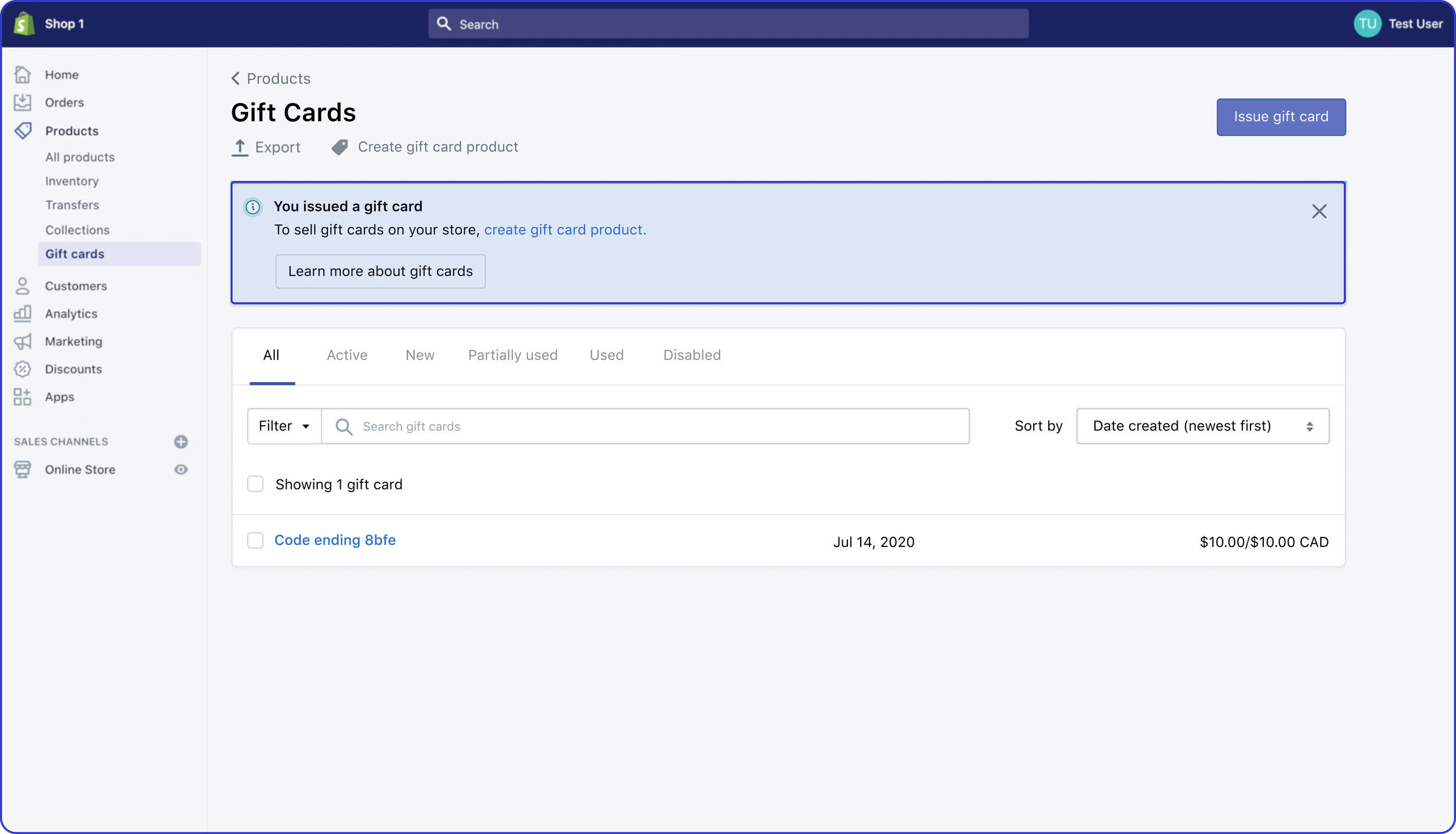
One of the frequently asked questions from customer support is merchants don’t know the difference between gift cards and gift card product.
No differentiation between creating gift card product and issuing gift card
Value props doesn’t educate the difference between gift card product and issuing gift cards, and they were easily dismissed due to their placement below the fold.
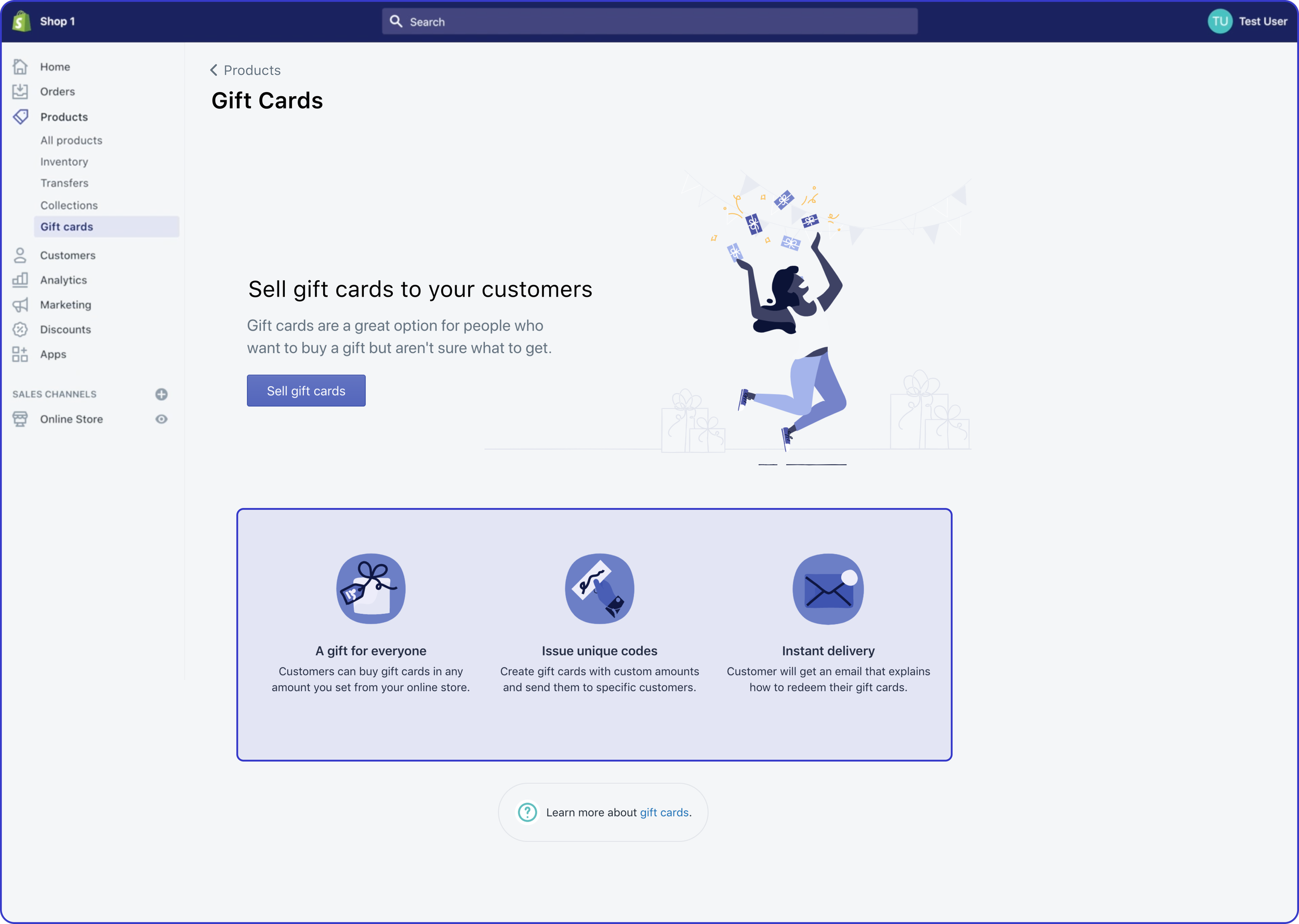
Gift cards landing page
When the merchants decide to sell gift cards, gift card product is auto-created, which implies that it is available on their online store, but it isn’t until the merchant adds it to their collection.
Confusing auto-creation flow
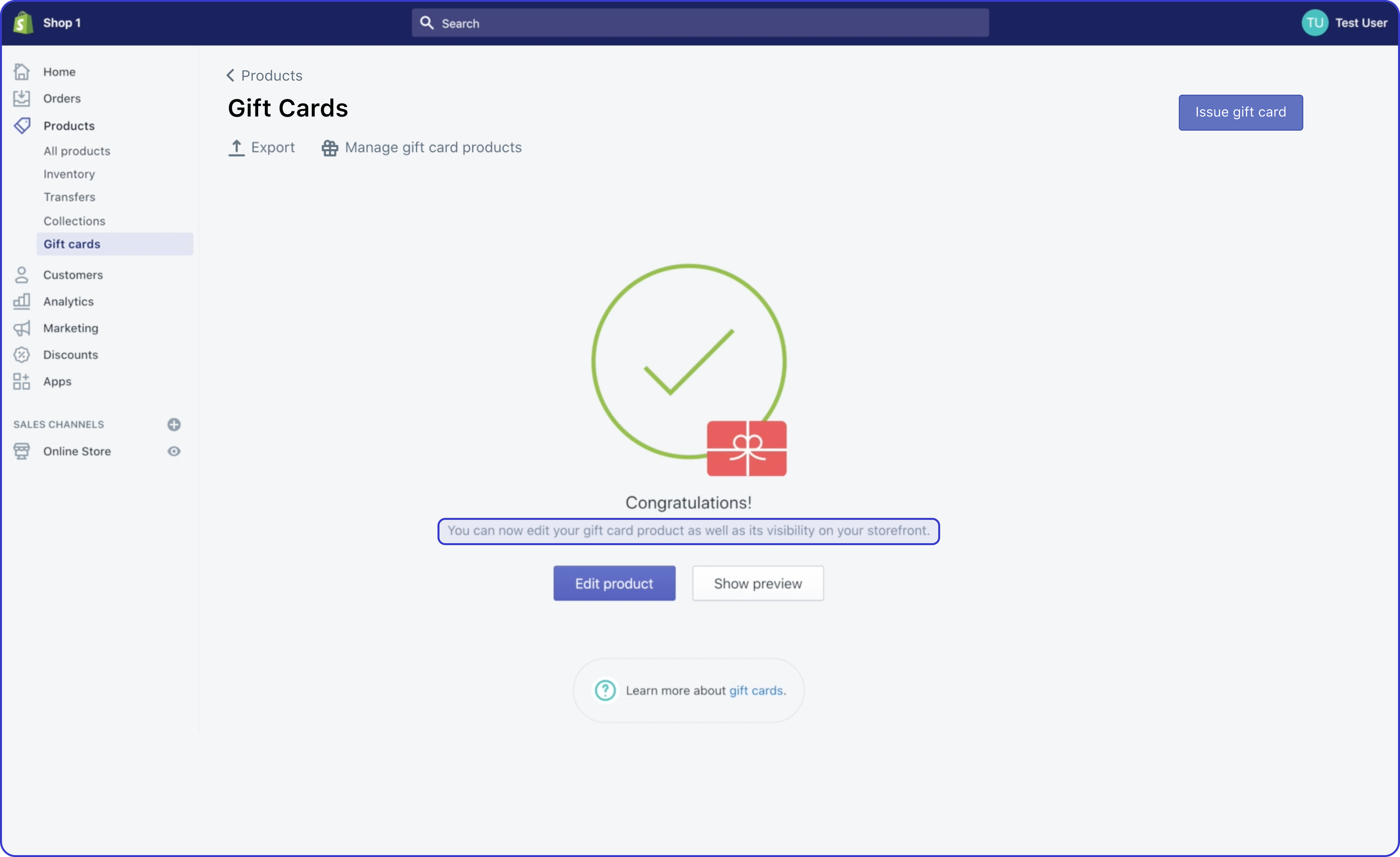
Gift card has been auto-created
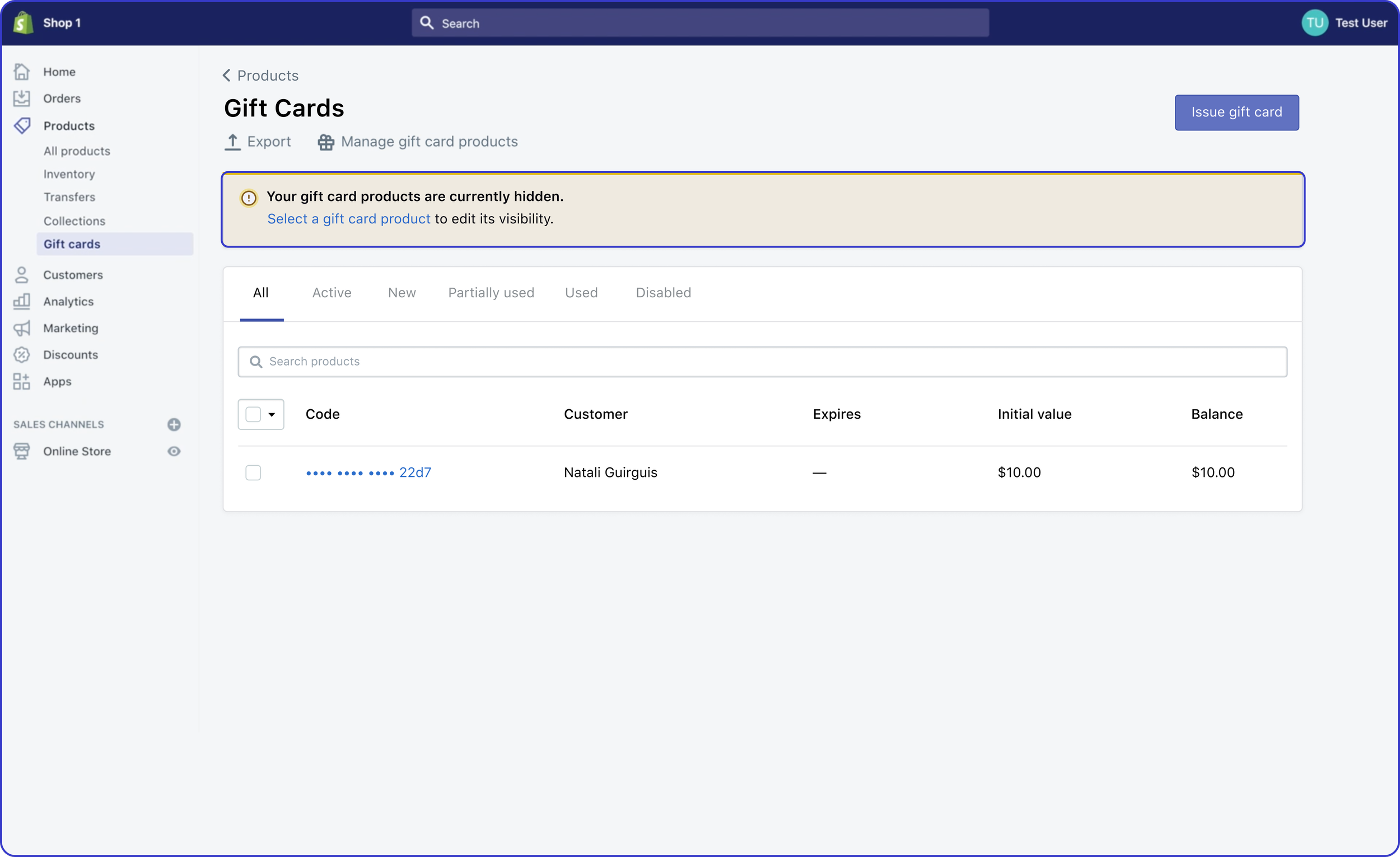
When merchant navigates outside of gift cards and comes back to gift cards index (i.e. sold gift cards), Shopify platform informs that it needs to be added to be visible
Wayfinding that doesn’t reflect mental model
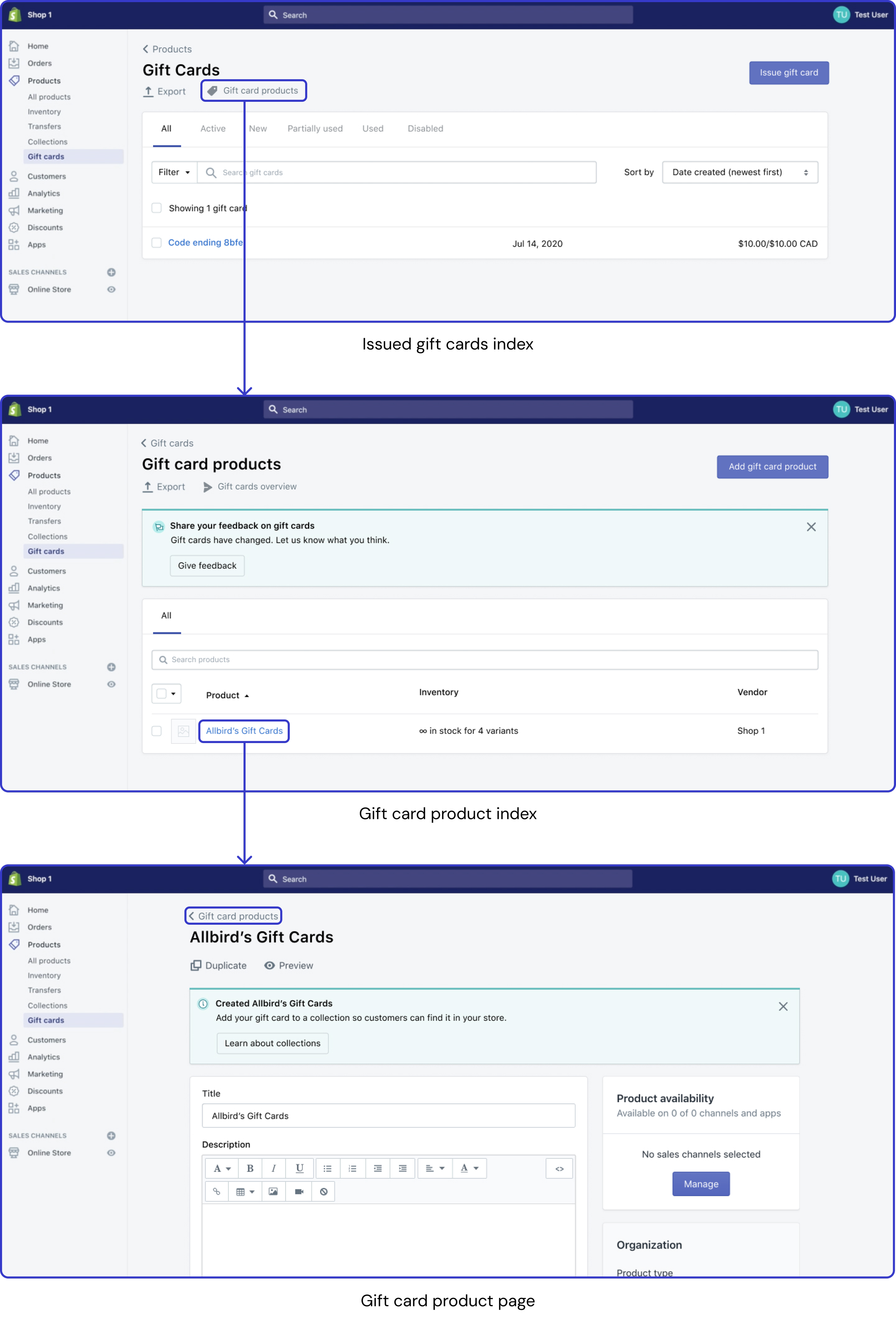
Gift card product (gift card that’s being sold) is categorized under products which is reflected in breadcrumbs. This is confusing because merchants think that it would be under gift cards as whole (combined with gift cards that are sold).
Current mental model:
Product → Issued gift cards index → Gift card products index → Gift card product → Product
Merchant’s mental model:
Product → Issued gift cards index → Gift card products index → Gift card product
→ Gift card products index
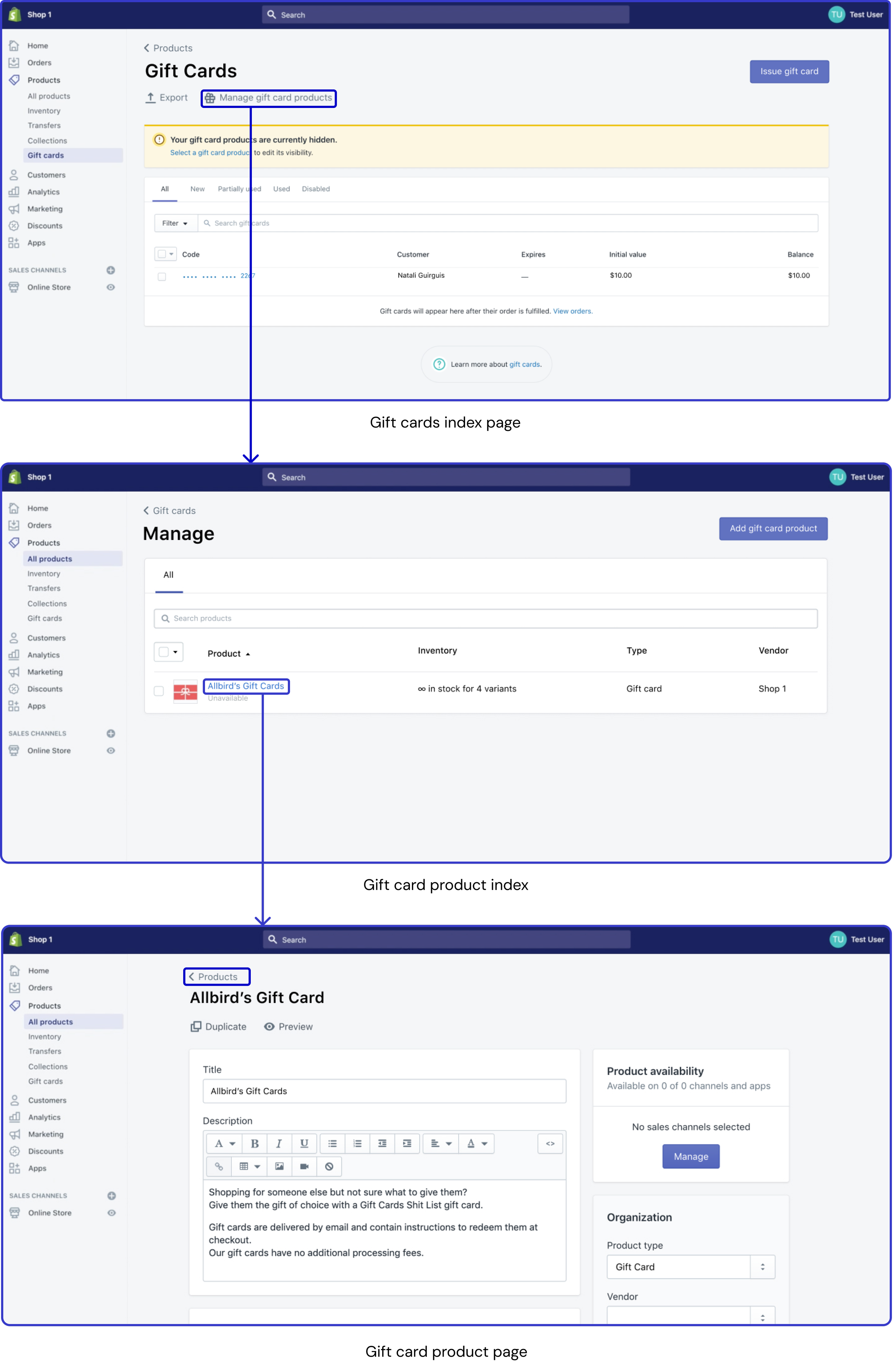
“Ideal” Onboarding Experience
Leverage tabs to educate and improve navigation at same time
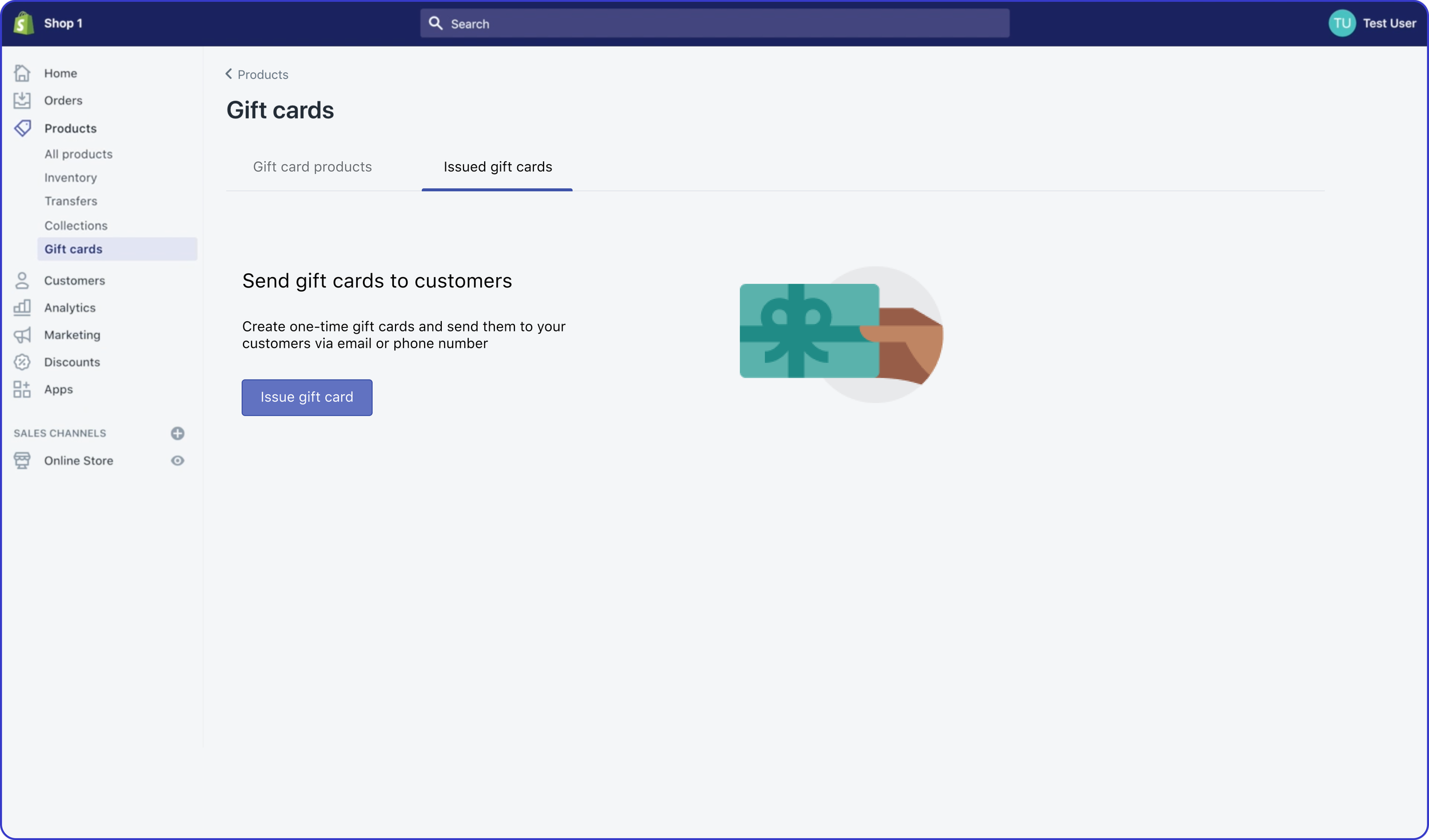
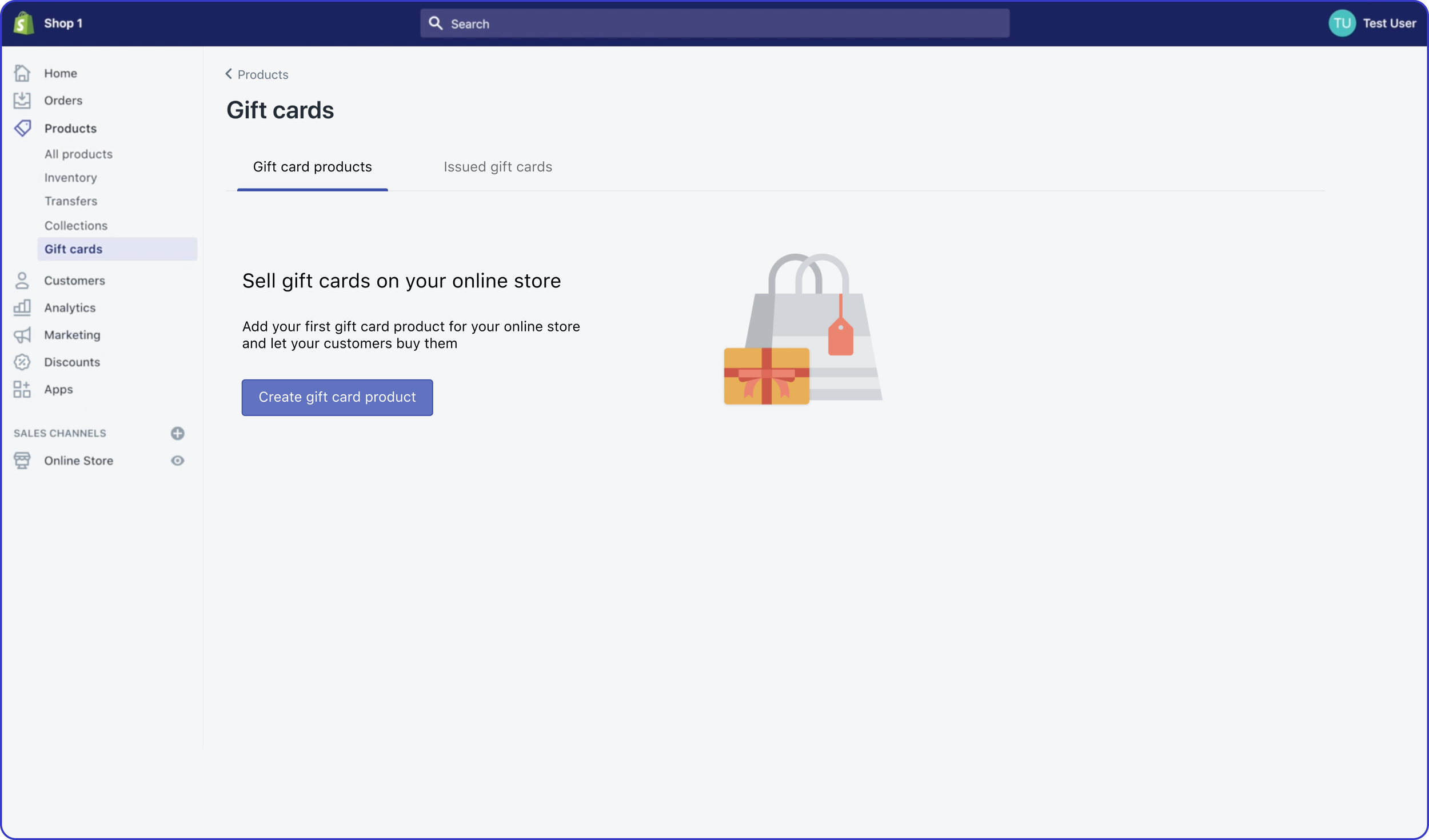
But…different tech stack = not doable 😞
Alternative solution
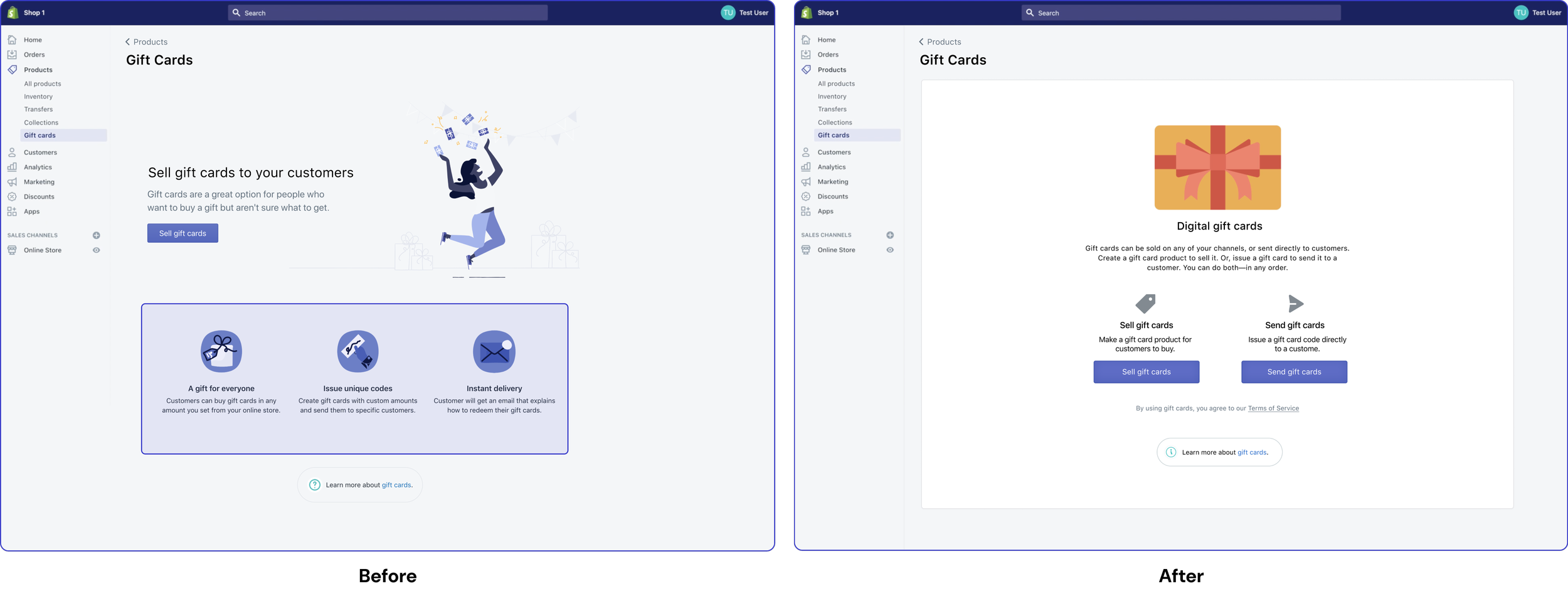
The merchants can choose between which task they would like to do.
The reason why we have two primary buttons (shocker 😱) is that there is no primary task for the merchant when they land on this page, and other button styles either implied prioritized one task over the other or suggested one as alternative task.
Introduce the two concepts upfront
Once they decide to sell gift cards, we will introduce them to an empty gift card product page and notify them that they need to make it available on their online store.
No auto-creation but walkthrough
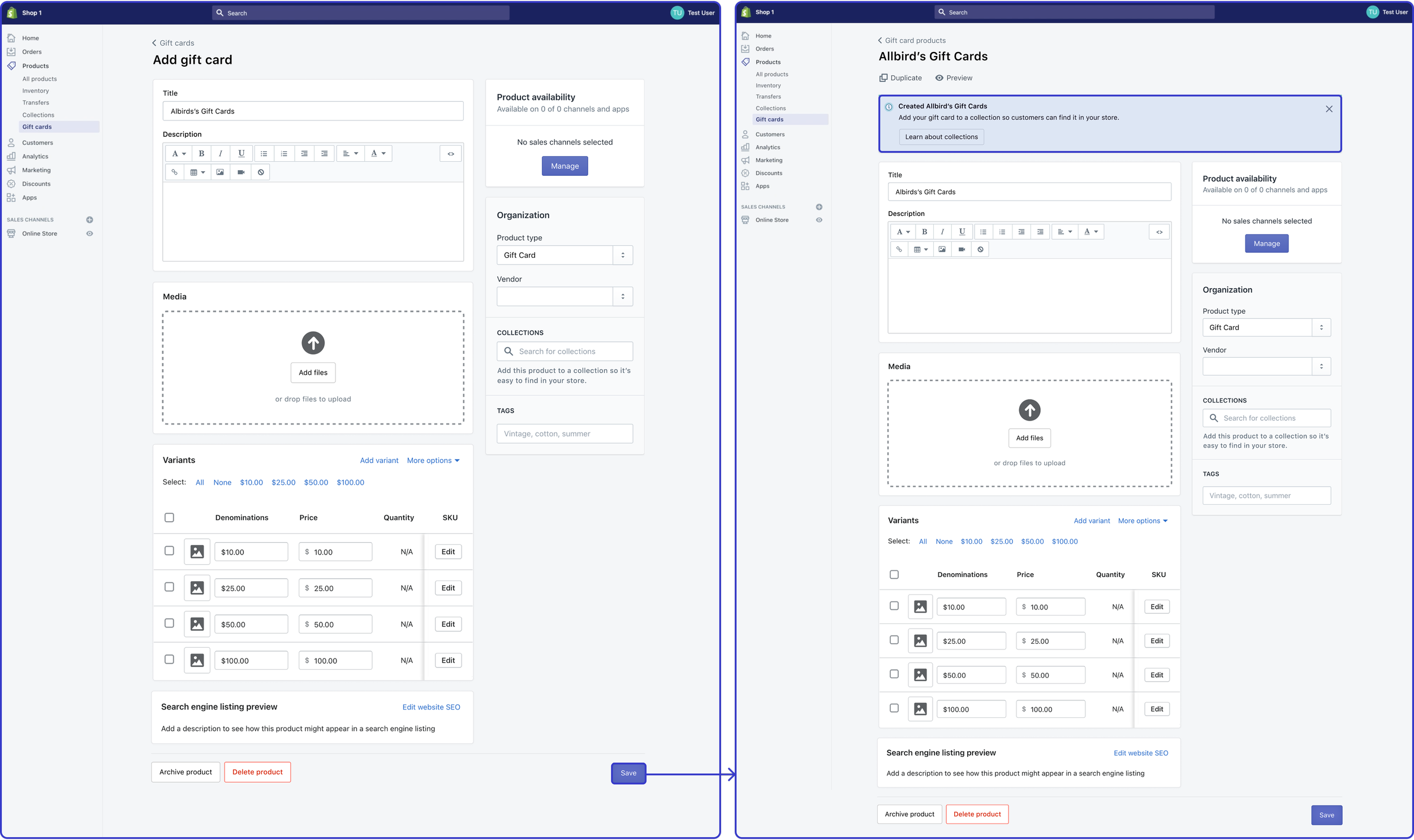
If a merchant enables “sell gift cards” and creates a gift card card but doesn't add it to their product collection, a banner will notify them to add it.
Contextual guidance
In case they created gift card by mistake for the first time, guide them to setup gift card product.
Change the breadcrumbs for gift card products index page and gift card product page, so that merchants think that gift card product lives under gift cards.
Merchant’s mental model:
Product → Issued gift cards index → Gift card products index →
Gift card product → Gift card products index
Solidify mental models
Issuing Gift Card Experience
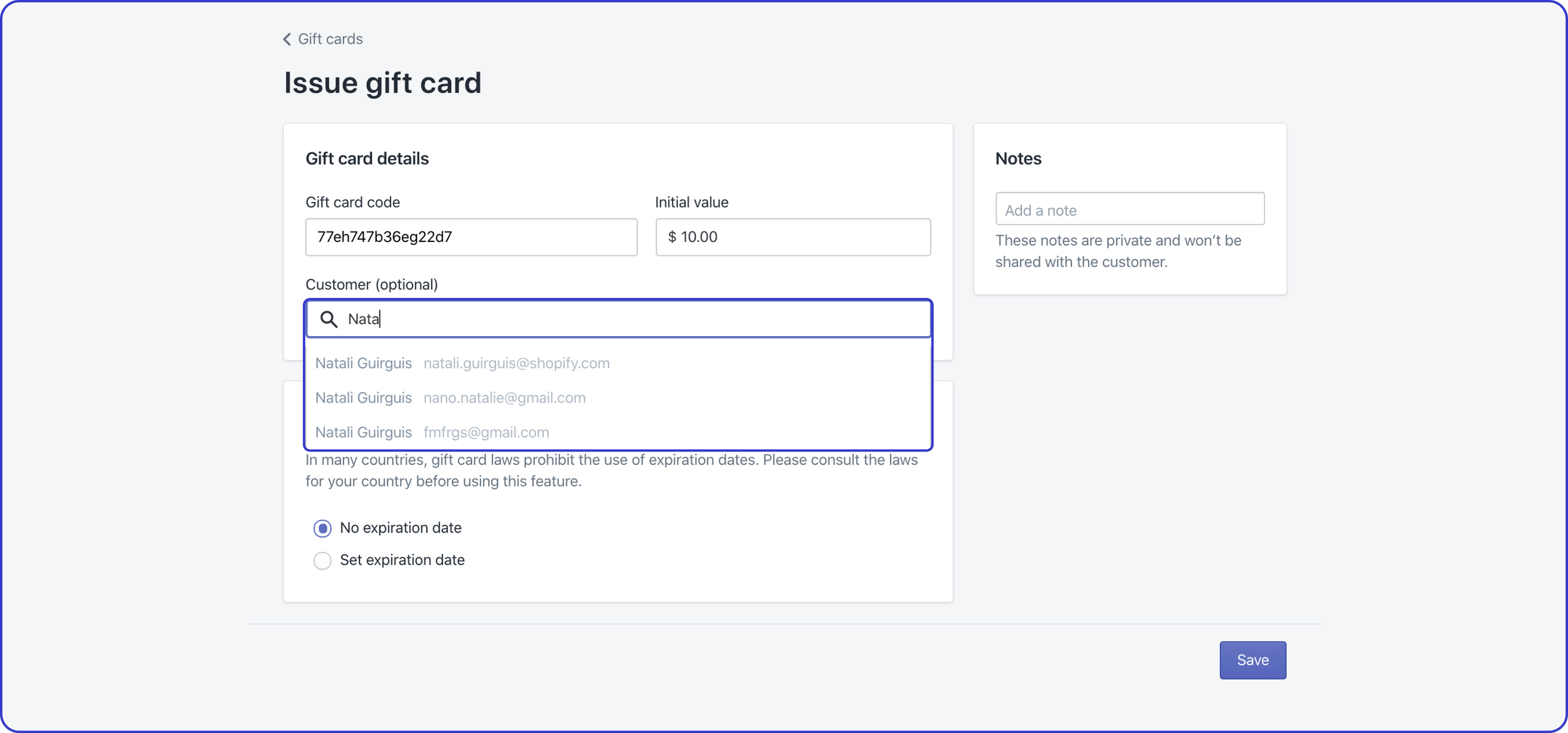
No flexibility during creation
Merchants were unable to create customer or add customer with no phone number or email.
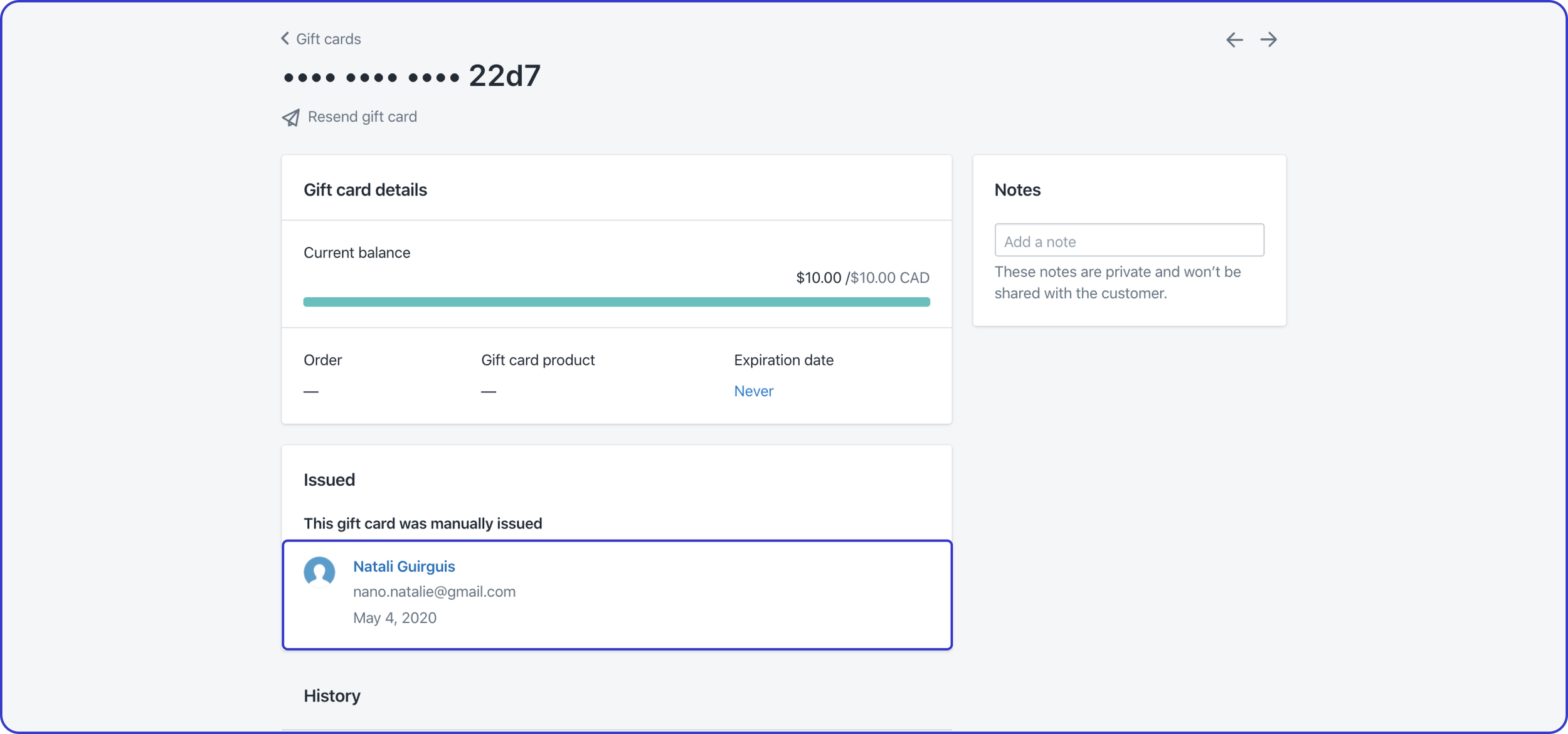
Merchants will have to work around to change customer’s phone number or email and then go back to issued gift card to resend it to the customer.
Workaround in case of error
Providing Flexibility to Issue Gift Card
Customers will have a separate section for needed flexibility
Since we are introducing flexibility for the merchants to select customers during and after issuing gift card, the task became optional in its nature and it should live in the left column where all optional tasks reside.
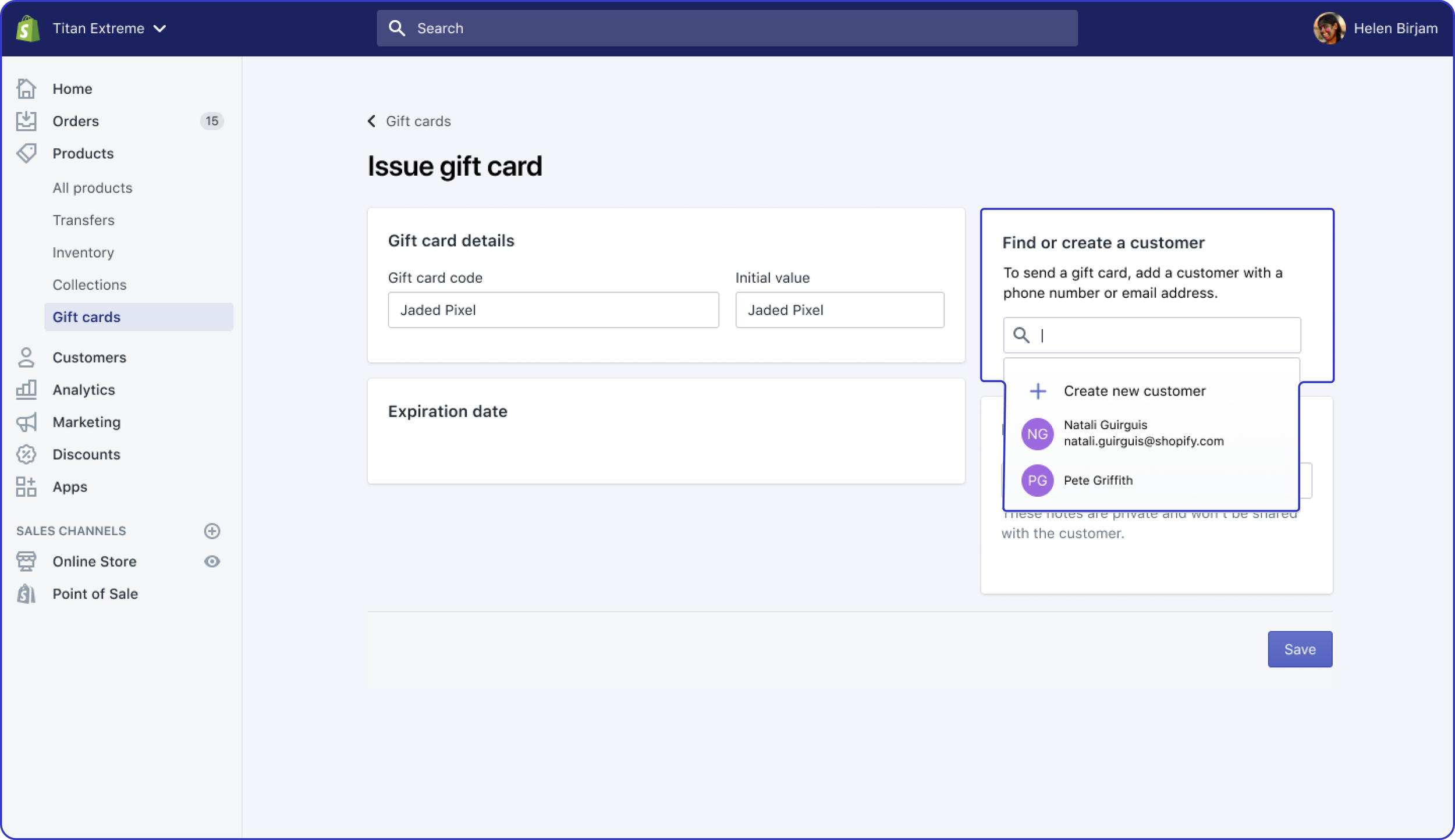
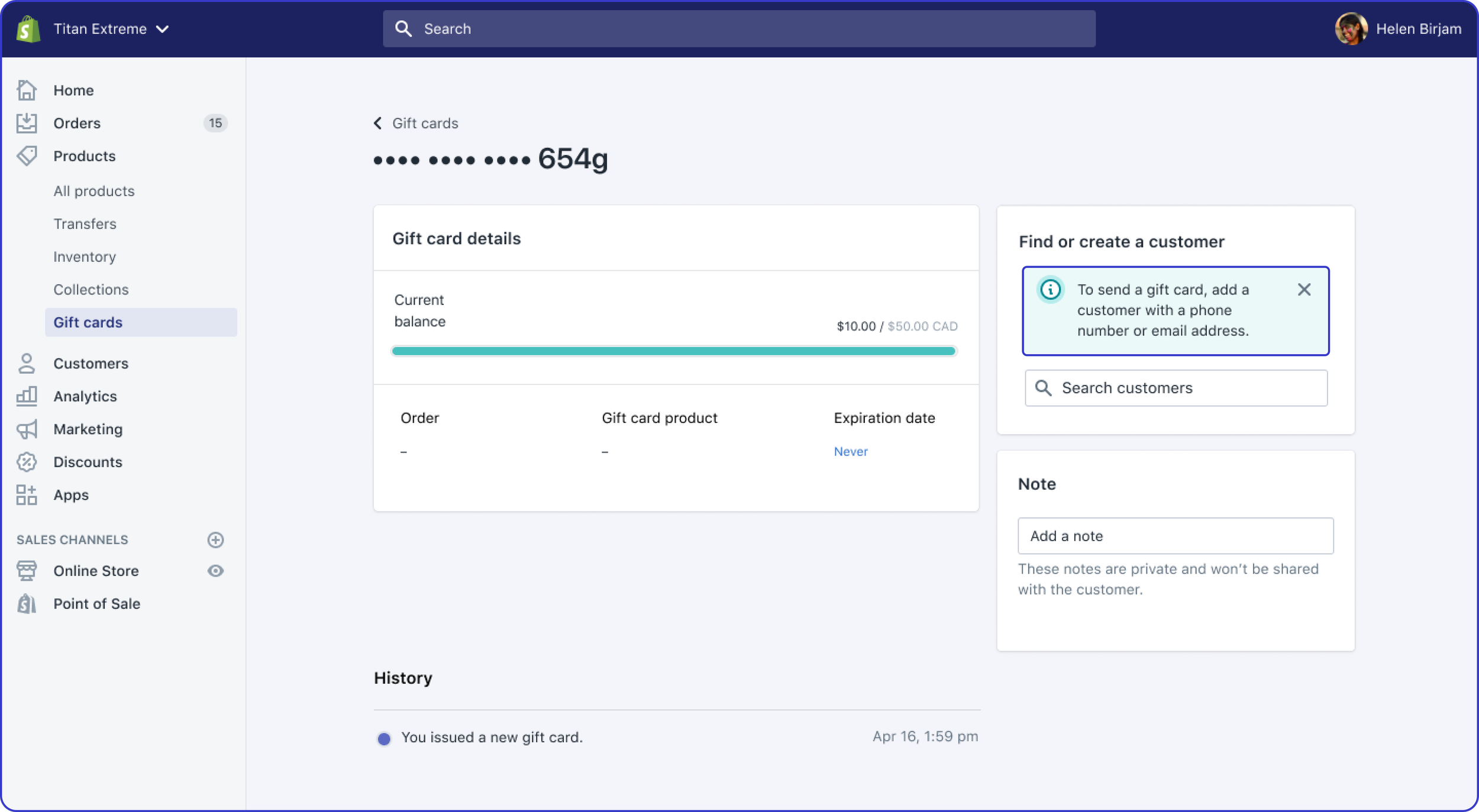
Let the merchant create gift cards without adding customers, but tell them they must add customer details later to send the card.
Callout contextually
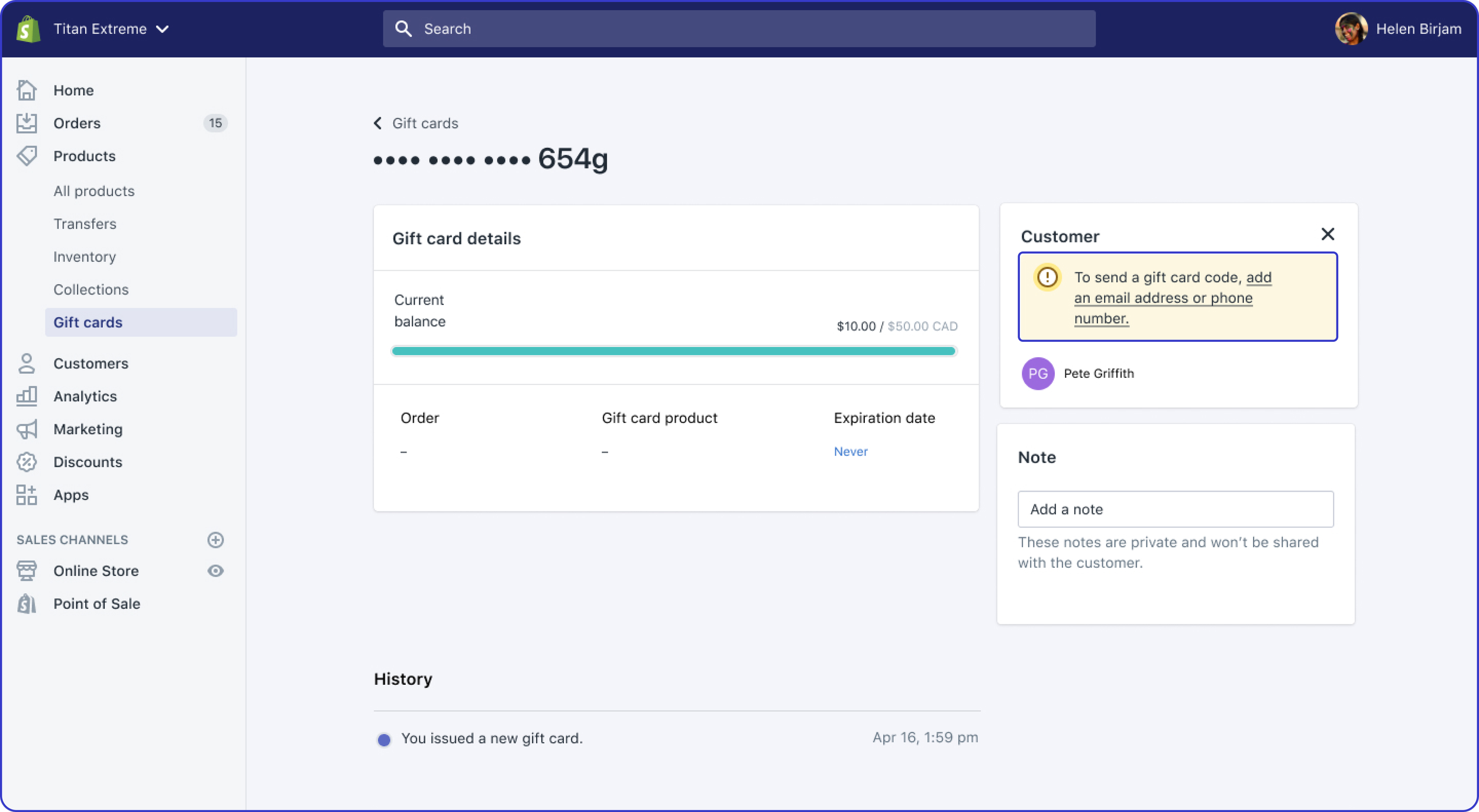
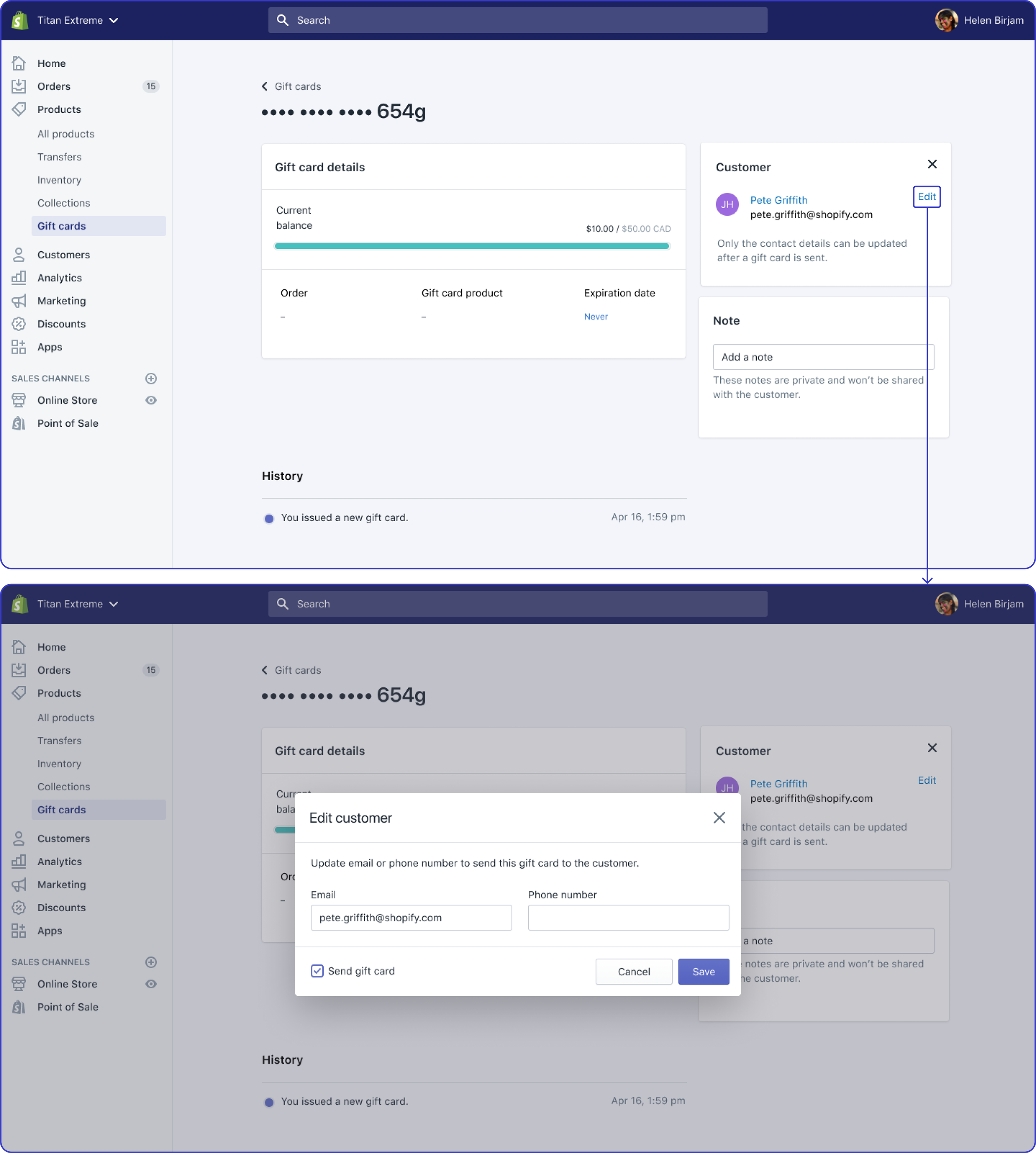
Merchants can change their customers’ phone number or email from the issued gift card and they will be able to send it in one-go.
Introduce flexibility
What I’ve Learned
Data-informed decisions
Data helped us to learn about the scope of the problem and make decisions about whether we should solve it or not.
Allow for flexibility
Design for an optimal experience that is flexibile enough to accommodate most use cases.
Incremental improvements
Make small UI changes to solidify mental models without making huge page changes.